Features
Everything Flaro does, phase by phase.
Flaro has one job in each part of a game: help you prepare, stay out of your way while you play, and help you learn afterwards. Here are all four parts, then the rest of the app around them.
01Before the game
Know where you stand, and what to work on.
Home is where Flaro opens. It shows your rank and recent form against a target for your role, the LP of every ranked game, and the one thing from your last review.
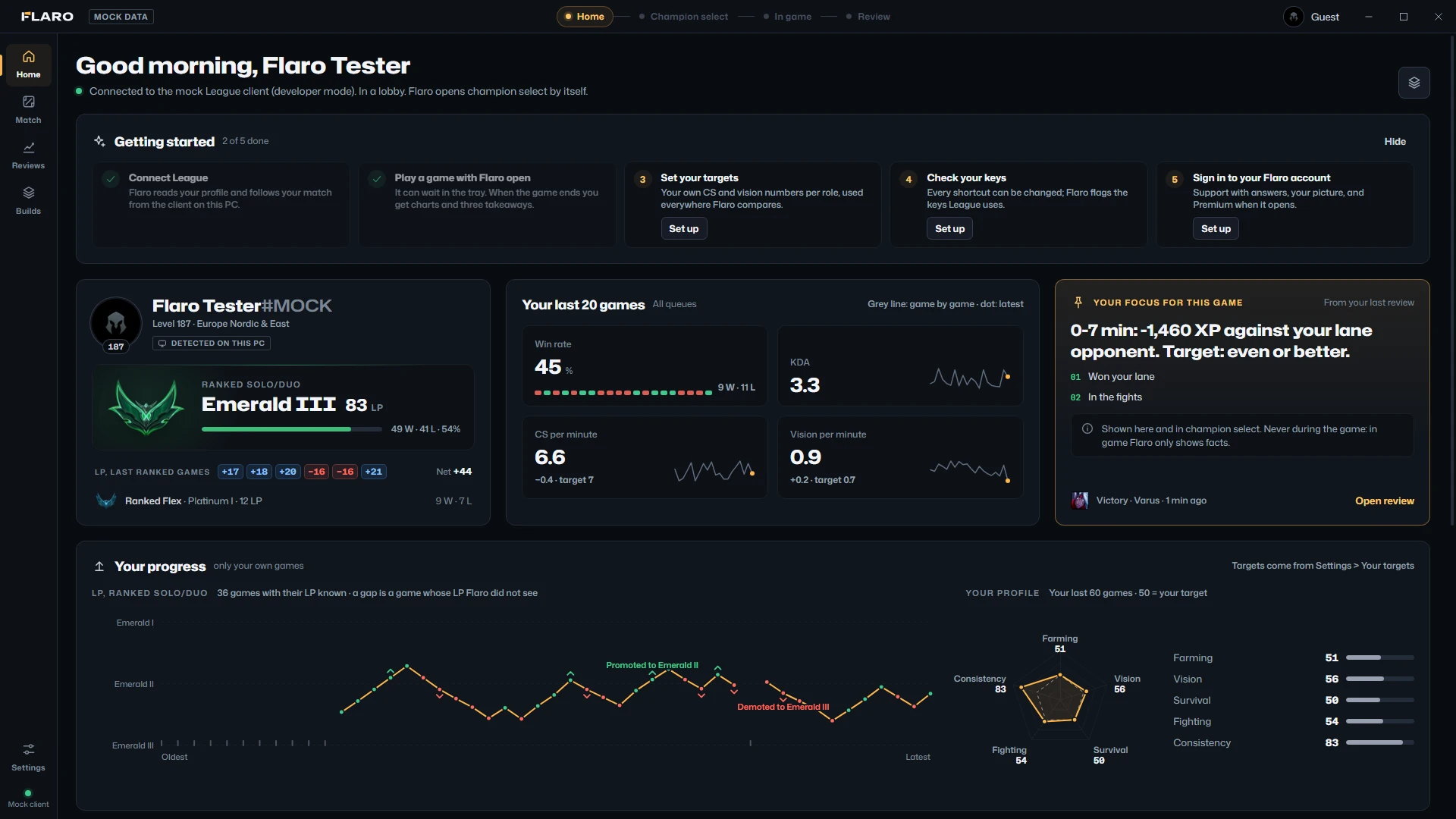
Your profile and rank
Riot ID, level and region; Ranked Solo/Duo and Flex with tier, LP, wins and losses. Marked “detected on this PC”, never “verified”.
LP per game
Next to every ranked game: +21 LP for a win, −16 LP for a loss, as the League client reports it. A dash when it isn't known; never an estimate.
Your last 20 games
Win rate with a win and loss strip, KDA, and CS and vision per minute, each with a sparkline and its distance from a target.
Your focus for this game
The one thing your last review asked you to change. On Home and in champion select; never during the game.
Recent games
Result, champion, LP, KDA, CS, damage, vision and length for every game, with its review one click away.
Tips before you queue
Two or three short tips for your role and your champions, written by hand. Shown before games only.
Player search Soon
Player search, arriving with Riot's approval.
Type a Riot ID with its tag and pick a region, and see what Riot's official API makes public: current Solo/Duo and Flex rank, the champions played most this season, mastery, and recent games with a full detail view of each.
It arrives once Riot approves Flaro and gives it a production key. It will run through our own server, so you won't need a key of your own.
How it will work
- No MMR, no name history, nothing live, and no “similar players”.
- A private profile shows as private, and Flaro tries nothing else.
- Only a Riot ID you type: never filled in from a lobby, champion select or a game.
- Nothing about other players is saved on your PC.
Connect when you're ready.
Out of the box, Flaro doesn't look for League at all. Switch the connection on from Home when you want it. Until Flaro is registered with Riot, the switch asks you to use a PBE account, not your main one.

02Champion select
Choose a plan. Import it in one click.
Flaro opens champion select by itself. For your champion and role it lays out rune pages, summoner spells and a build path as options, each with its source. You decide; one click imports the rune page you chose.
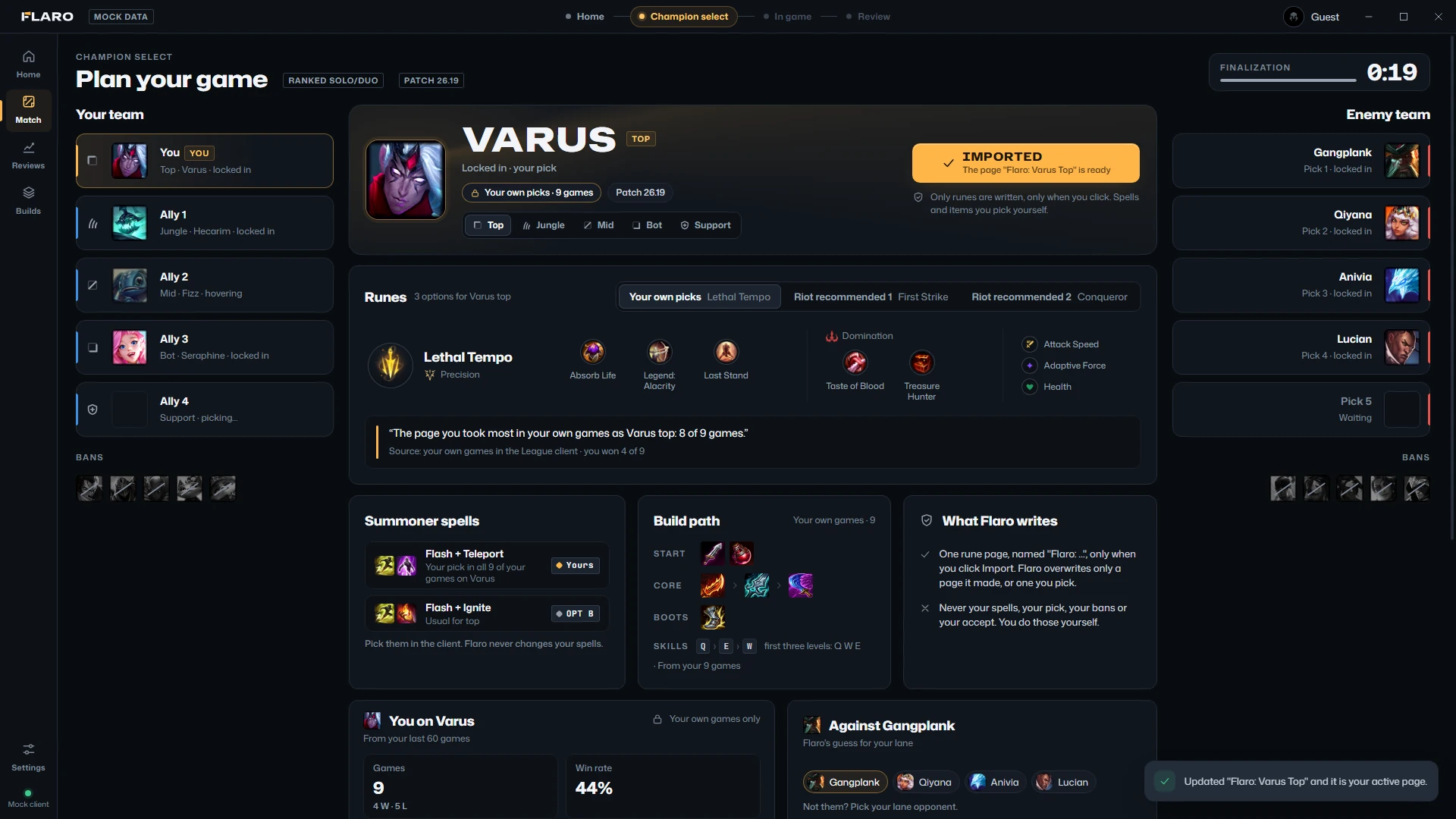
Up to three rune pages
Your own picks: the page you take most on this champion and role, from your own games. Riot recommended, from your client. A hand-checked Pro pick where one exists, or a starter page.
One click, one page
Import runes or CtrlI writes one page, named “Flaro: Varus Top”, and makes it active. A double click is still one write.
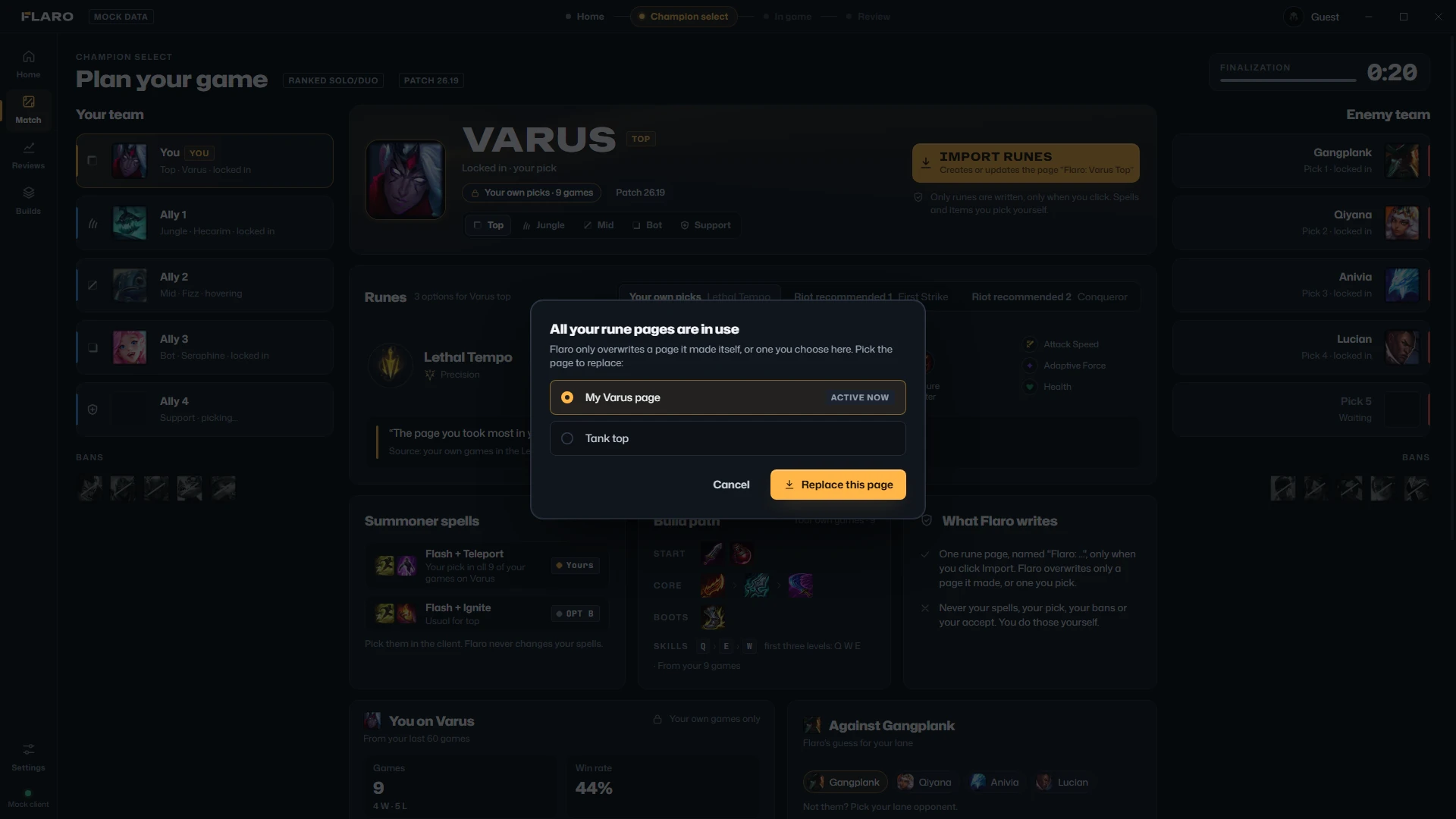
Pages full? It asks.
Flaro only replaces a page it made itself, or the one you pick when all your pages are in use. It never deletes a page you picked.
Spells and a build path
Two pairs of summoner spells and a build path (start, core, boots), your own first when your games show them. You pick your spells in the client.
You on your champion
Your games, win rate, KDA and CS per minute on the champion you locked in, and your last games on it. From your own last 20 games.
Anonymous by design
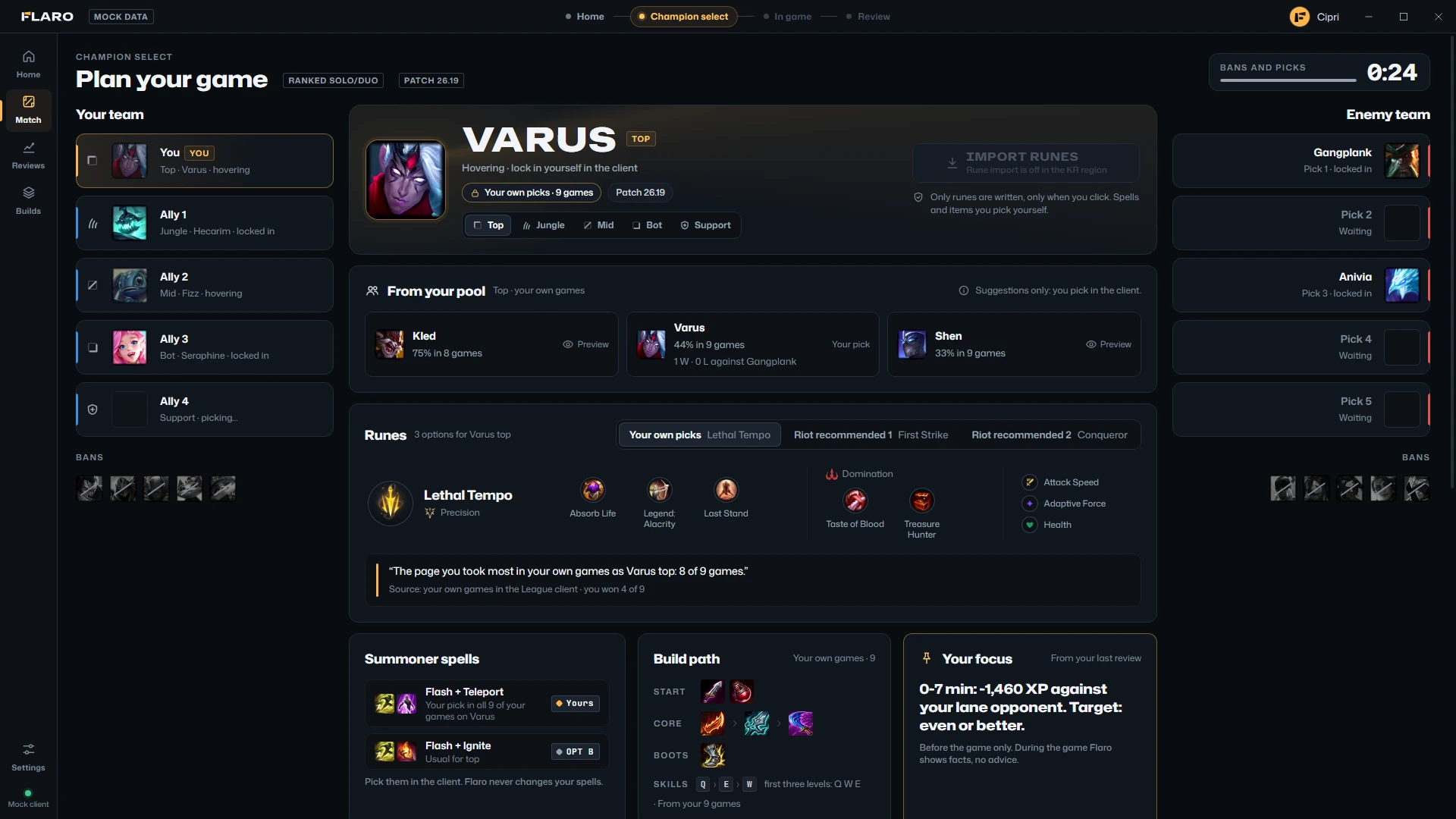
Players outside your party are Ally 1–4; enemies appear as champions when they lock in. Flaro never reads a name or looks anyone up.
Off in the KR region
Rune import is switched off in KR, and while Flaro can't tell your region. The button says why instead of failing.
03In game
Your own numbers. Nothing else.
During the game Flaro is a normal window for a second screen or an alt-tab. It shows facts about you and the plan you chose, once a second, and nothing that tells you what to do.
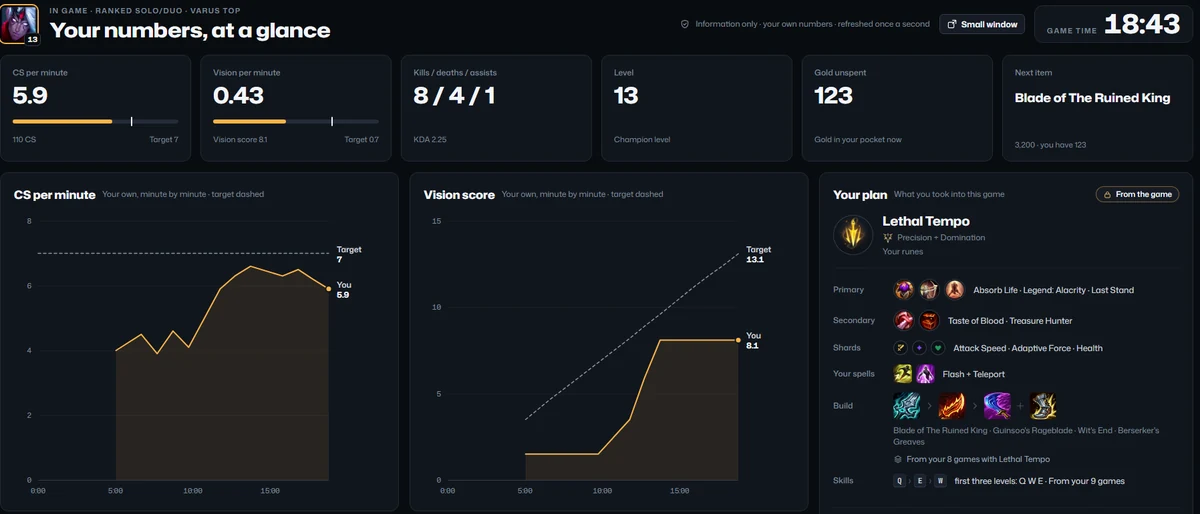
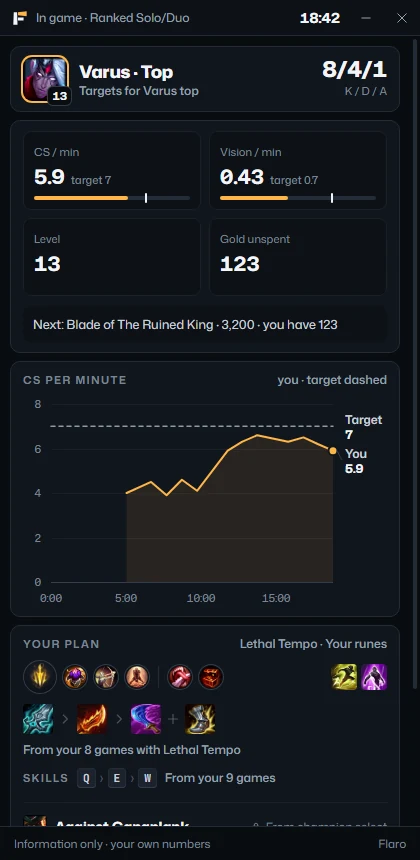
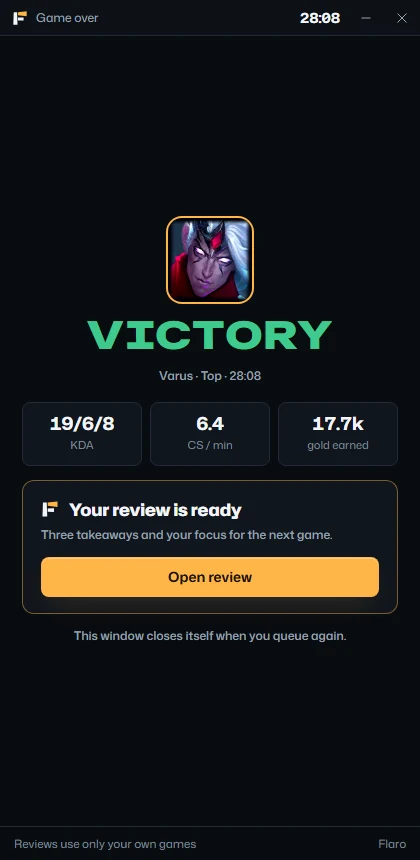
Your numbers, against targets
CS and vision per minute against a fixed target for your role, plus KDA, level and gold. Targets are rules of thumb, not live statistics.
Minute by minute
Flaro records your own numbers each minute and draws your CS per minute and vision score against the dashed target.
Your plan, unchanged
The runes and spells you actually took, read from the game, and a build for them. It never changes during the game, and never tells you what to buy next.
The small window
420 × 860 for a second screen. It opens without taking the focus from the game, remembers where you put it, and closes when you queue again.
Not in the game, on purpose.
These are things other apps have shipped. Riot's rules for third-party apps rule them out, and Flaro has no code for them.
No timers
No objective or jungle-camp timers, and no cooldown timers for anyone's spells or abilities.
No alerts or advice
No power-spike or recall alerts, no “go gank”, no “buy this now”, and no AI talking to you mid-game.
No hidden information
Nothing the game hides from you, no win chances, and no verdicts on who is ahead or behind.
04After the game
An honest review, every game.
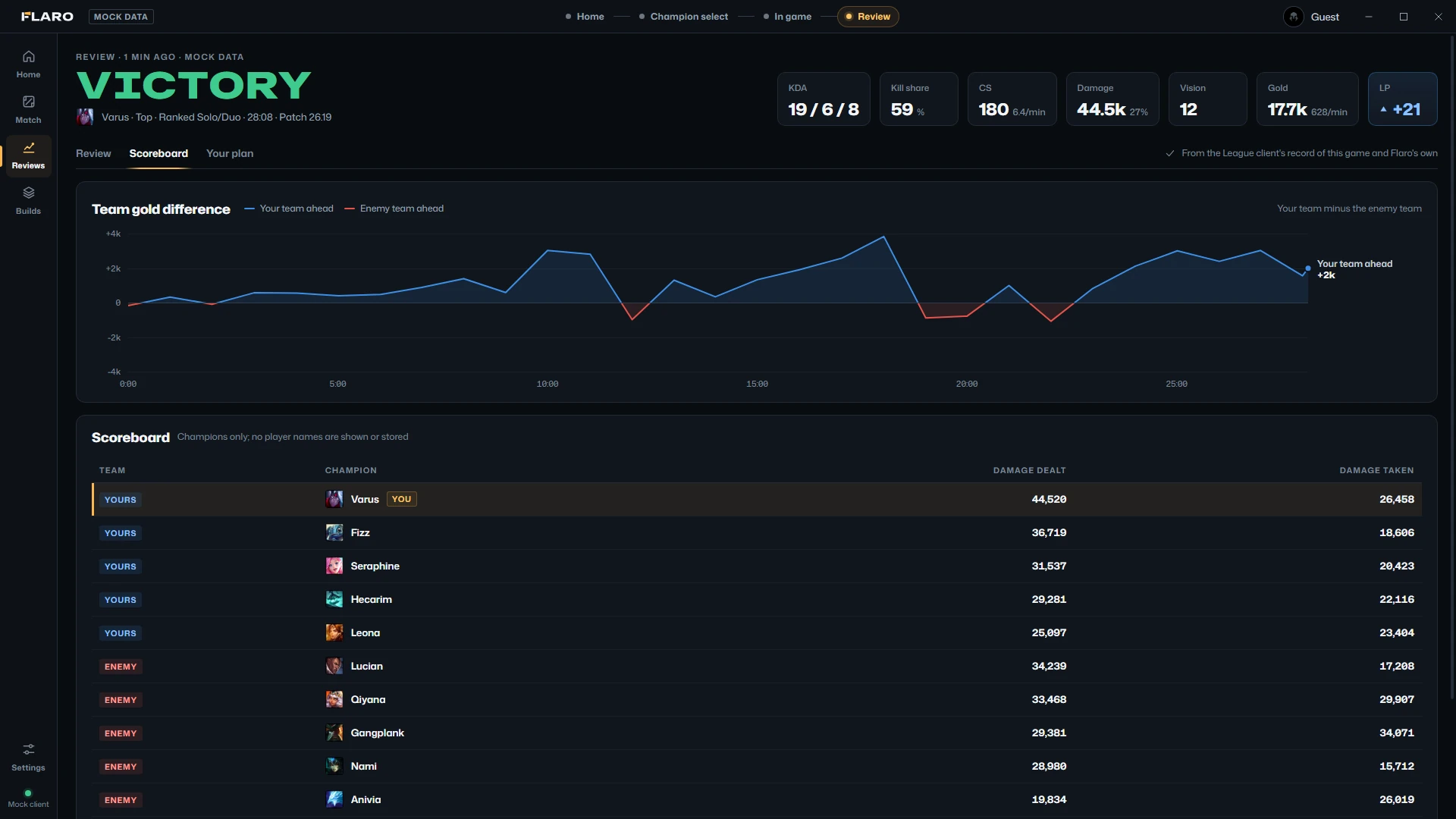
The review opens by itself when the game ends. It is built from the League client's record of your game and Flaro's own minute-by-minute recording, and it is about you only.
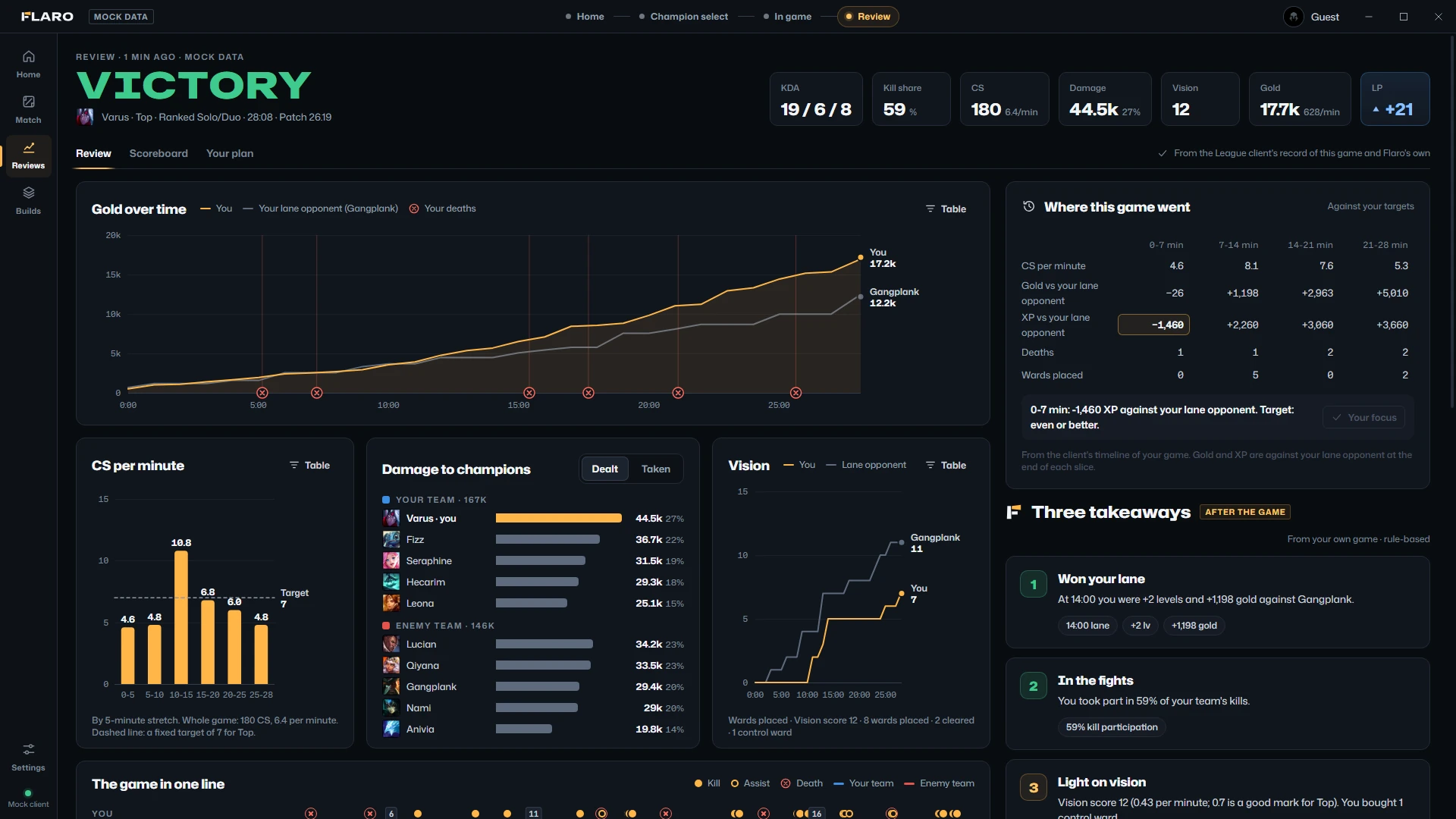
The game in six numbers
KDA, kill share, CS and CS per minute, damage and your share of it, vision, and gold per minute.
Gold over time
You against your lane opponent, minute by minute, with your deaths marked on the timeline and a table view.
CS by stretch
CS per minute for every five-minute stretch, against the target, so you can see where it dipped.
Damage and vision
Damage dealt and taken for all ten champions, you highlighted, and your vision score over the game.
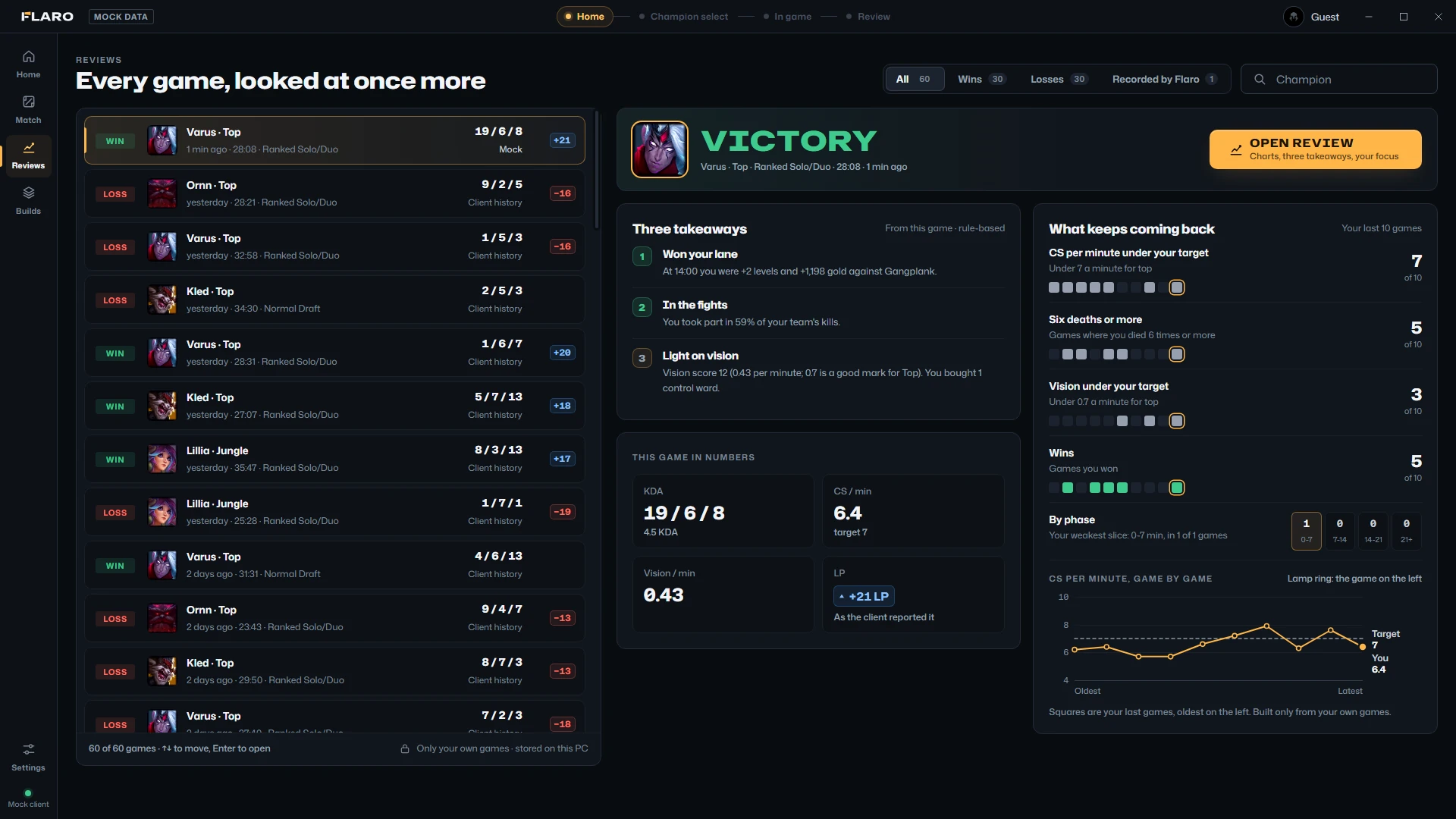
Three takeaways
At least one that went well and one to work on, each with its numbers and a “next game” line. Rule-based, not AI.
Your next focus
The takeaway to work on becomes your focus on Home before the next game. You can switch that off.
What keeps coming back
Four patterns across your last ten games: CS under your role's target, six deaths or more, vision under target, and wins, game by game.
Around the game
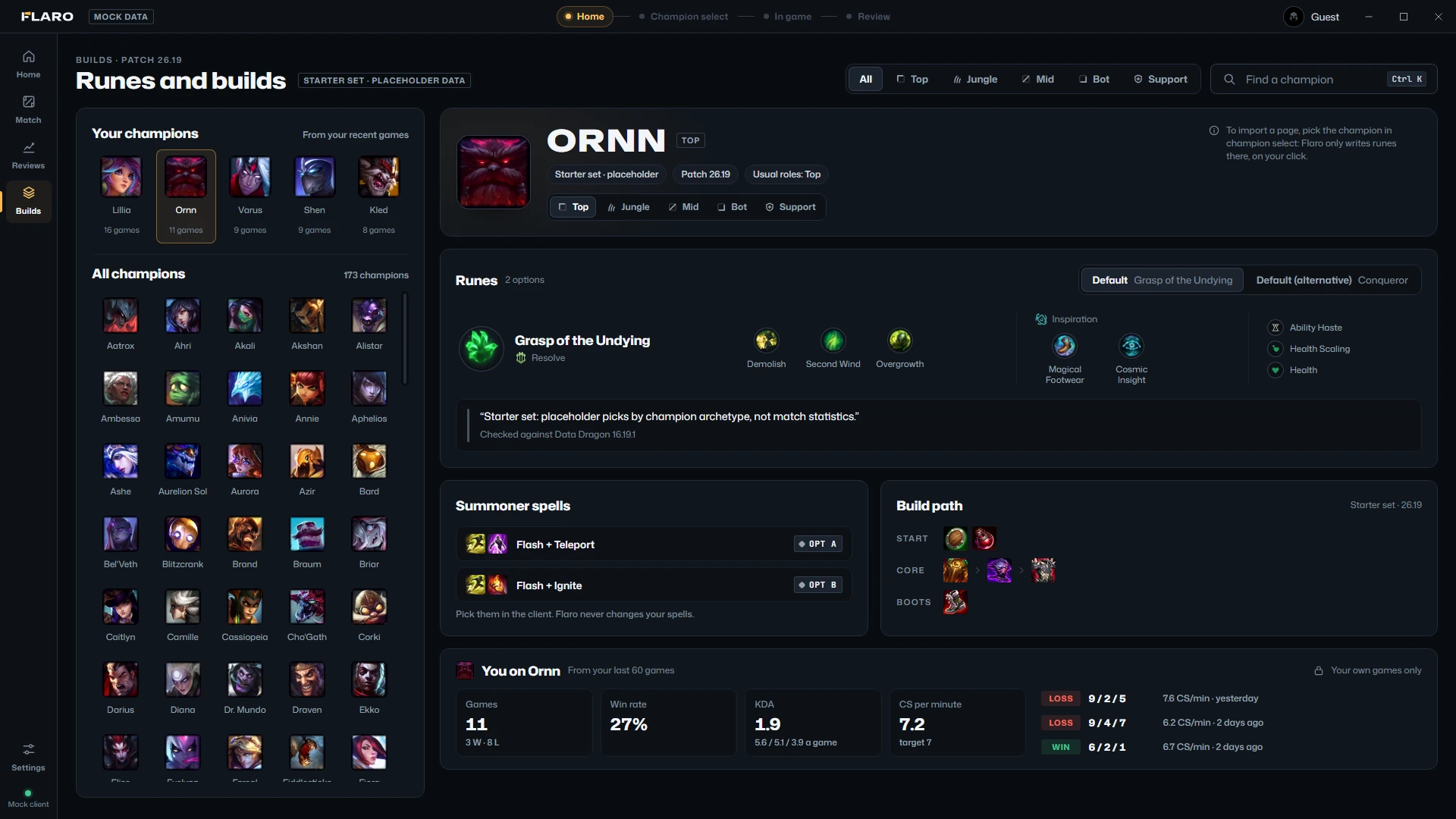
Builds, settings, languages and your data.
The rest of the app is small and plain on purpose.

Settings, rebuilt
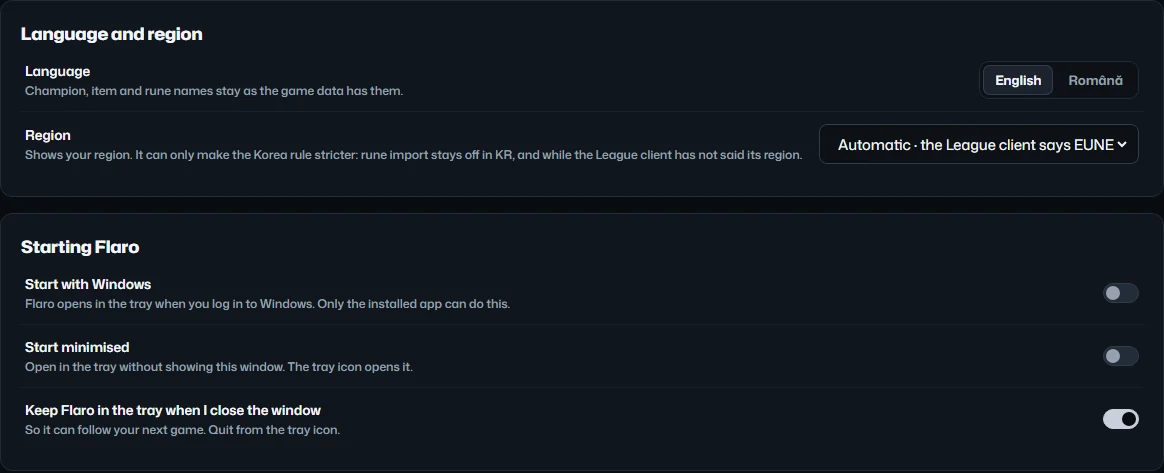
General, Keyboard, Account and League, Your data, Privacy and safety, About. Start with Windows and start minimised are off until you turn them on.
English and Română
The whole window in either language, about 700 strings, tips and review takeaways included. Champion, item and rune names stay as the game has them.
Every screen by keyboard
Ctrl and a number for each screen, ? for the list, and the arrow keys in every list and grid.
Your reviews, exported
Every recorded game as JSON, or one line per game as CSV, to a file you pick. Your own games only; other players appear as champions.
An account, if you want one
Optional. Sign in with an email code, Google, Discord or a passkey: there are no passwords. Your account is stored encrypted, in the EU, and you can download or delete it at any time.
Streamer mode
Hides your own Riot ID, rank and icon inside Flaro. Other players who hide with Riot's Streamer Mode stay hidden everywhere, always.
Light on your PC
Built to leave your frames alone.
No animations that loop, the graphics card off by default, and one request a second while you play. Measured with the installed app on the developer's PC (Ryzen 7 9800X3D), 60 seconds each, every Flaro process added up.
| Situation | CPU, one core | Memory |
|---|---|---|
| League connection off, window open | 0.34% | 103 MB |
| Connection on, League not running | 0.64% | 199 MB |
| Home, idle | 0.10% | 122 MB |
| In game, in-game screen open | 0.69% | 119 MB |
| In game, plus the small window | 1.06% | 175 MB |
| In game, Flaro in the tray | 0.81% | 141 MB |
Try it before your next game.
Flaro 0.3.11 for Windows 10 and 11. Free during the beta.